
Dacor Wall Oven Repair
Dacor wall oven repair: common problems, safe checks, model and error-code resources, and when to book professional wall oven service.
Specialized Dacor Appliance Repair in Los Angeles and Orange County
Dacor MOV230 wall oven — model notes, common issues and what to have ready before booking.

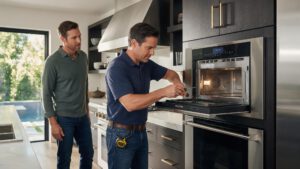
Once a technician is inside a kitchen with the Dacor MOV230, the visit tends to follow a clear order. The first step is confirming what the oven still does: whether the display responds, whether the fan runs, and whether the heat builds to the set point. The second step is checking the door and its latch. Any sound or smell is recorded because it points to a specific area of the oven. Owners in the Los Angeles and Orange County area who share these details beforehand help the visit stay on track and cut down on follow-up questions. List MOV230 and the symptoms in the request in that same order.
MOV230 is a Dacor wall oven. The model number is printed on the rating label, usually on the frame around the door opening, visible with the door open; match it letter for letter before booking.
Dacor wall oven repair: common problems, safe checks, model and error-code resources, and when to book professional wall oven service.
Model-information disclaimer. Confirm your exact model number and specifications with your appliance documentation before booking a repair. Model pages are for identification and compatibility reference.
Check the rating label on the frame around the door opening, visible with the door open. Use the full number, including any letters at the end.
Yes. We book in-home visits for this model in Los Angeles and Orange County. Add the model number and the symptom to the booking form.
Note the mode used (bake, convection, steam, self-clean) and any code on the display.
Share a few details and we’ll confirm an appointment. Prefer to talk? Call us and we’ll help right away.
Fields marked with * are required.